01
Barcode scanning, built in
Scan to sell, scan to receive stock, scan to look up a price. Works with USB or Bluetooth barcode scanners that type like a keyboard, which is how most of them work.
A shop lives on knowing what it has, in which size and colour, before a customer asks. Table scans, tracks and reconciles it, with dollars and lira as the normal case, not a plugin.
Made in Lebanon USD + LBP on every sale 14-day free trial, no card

The problem
Between shrinkage, miscounts, and manual spreadsheets, most shops only find out they’re out of stock when a customer’s already at the register.
Size, colour, variation — tracking that in a system built for single-SKU sales means either bad data or a workaround that breaks eventually.
When every staff member shares the same access, there’s no way to know who applied a discount, who voided a sale, or who touched the drawer.
The real screens
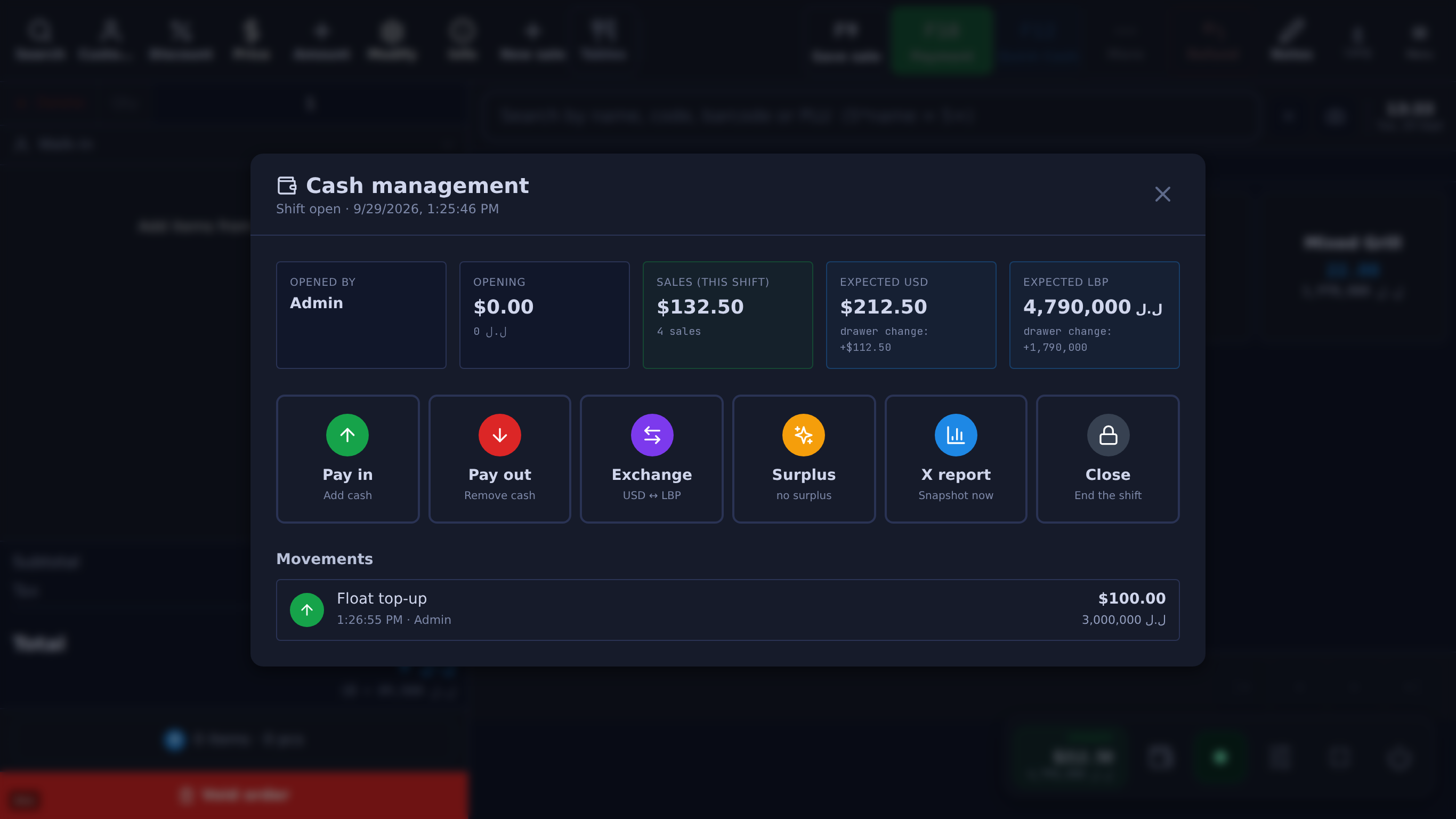
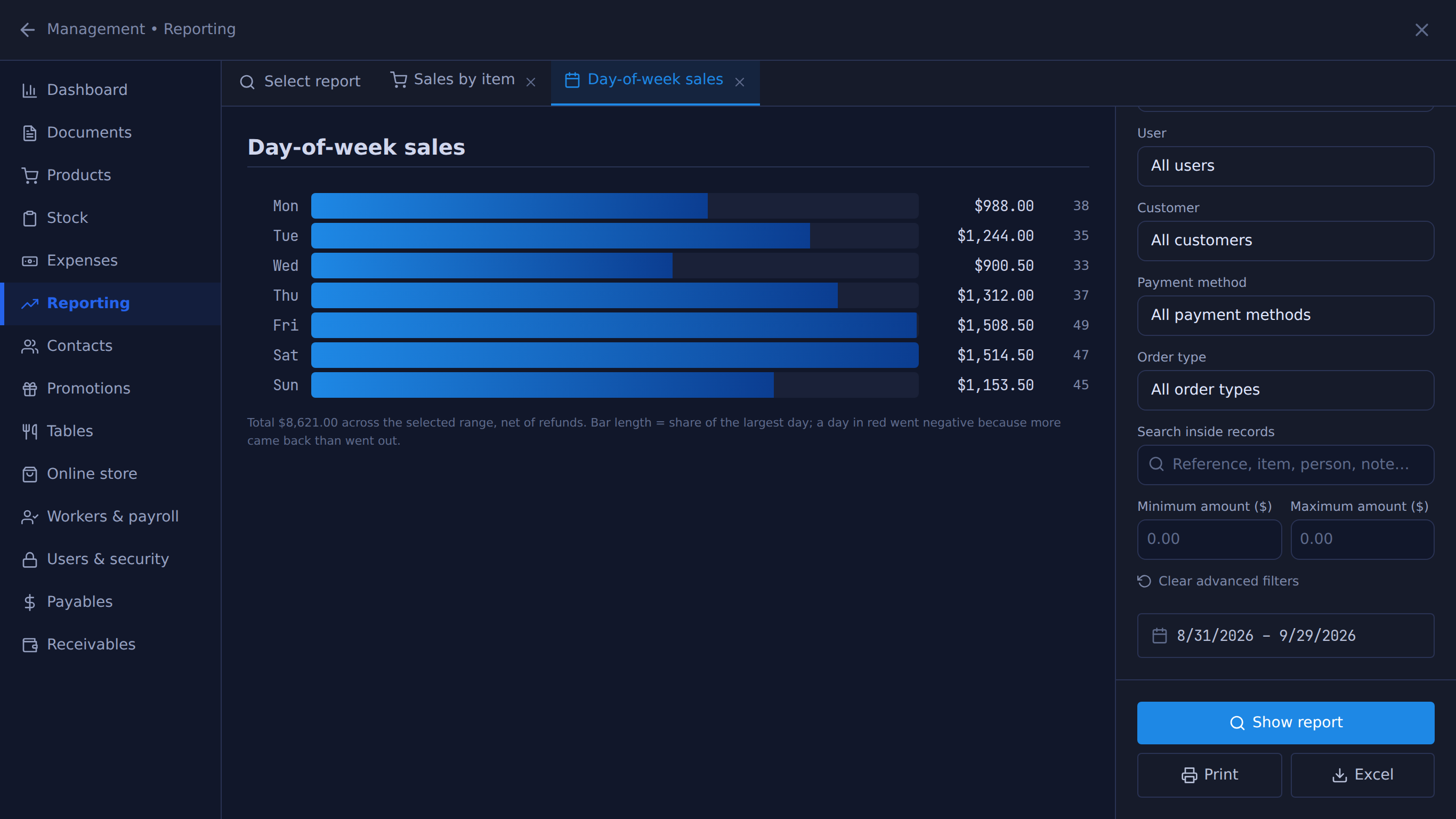
Unedited captures of Table, taken in a fictional demo shop. Open one to see it full size.
Built for this
01
Scan to sell, scan to receive stock, scan to look up a price. Works with USB or Bluetooth barcode scanners that type like a keyboard, which is how most of them work.
02
Each size or colour can be a variation with its own price and stock count (S, M, L, or ‘M Black’), or use up to three option axes such as Size and Colour, with a price difference per value. Option combinations share the product’s one stock count, so to count each size in each colour, list them as variations.
03
Track every unit, every purchase, every loss. Low-stock thresholds and moving-average costing keep your numbers honest.
04
Cashiers sell, managers void, owners configure: nine access levels, with a minimum level you choose for each protected action. Voids, discounts, refunds and cash shifts are recorded with the user who did them.
05
More than one till in the shop, each with its own drawer, shift and Z-report ($10 a month per extra till), and stock split across locations such as shop and warehouse.
06
Deleted products, customers and suppliers go to a Trash bin first, where you can restore them until someone purges them. Voids, discounts, refunds and bulk price changes are recorded with the user who made them.
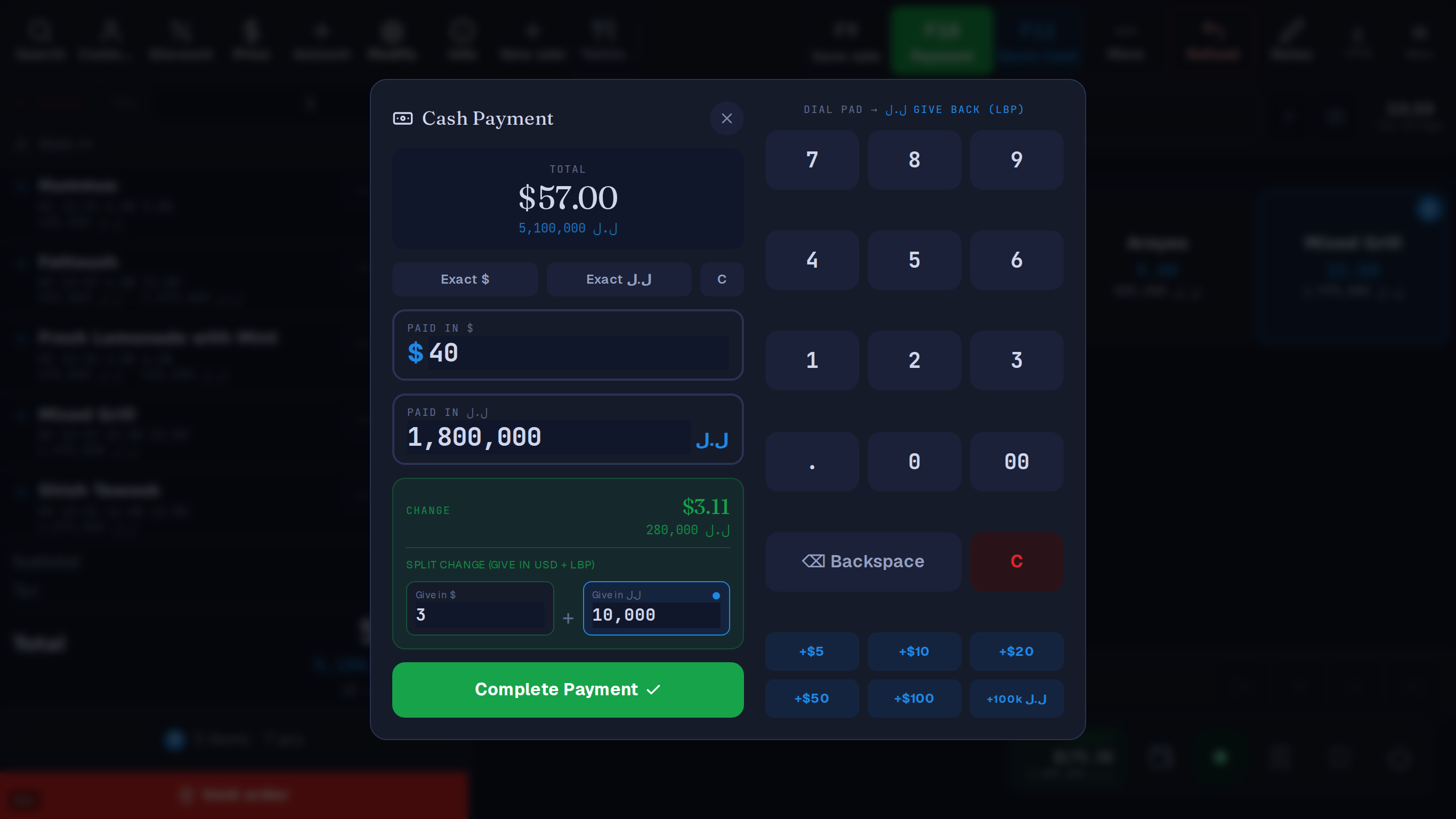
USD + LBP
Price in dollars, take lira or dollars, and split one payment across both.
Every sale stores the rate it used and is kept in dollars, so past dollar totals don’t move with the lira. Lira shown to the customer is rounded to the 5,000 note.
A $ bill. They hand you $ and ل.ل.
For example, give $3 — the till fills in 10,000 ل.ل
or 280,000 ل.ل all in lira
The cashier picks how many dollars to give back; the till works out the lira.
Lira price 5,100,000 ل.ل
Example rate: 89,500 ل.ل per $1. Your till uses the day's rate from lirarate.org or one you set. How dual currency works
Questions
Yes, as a list of variations (S, M, L, or 128 GB Black), each with its own price and stock count. Size-by-colour combinations share the product’s one stock count, and variations have no barcode of their own, so the cashier scans the product and taps the variation.
Yes. Import a CSV or XML list (save your Excel sheet as CSV) rather than typing thousands of items. Costs and barcodes come with it, and the import previews before it writes.
Yes. Wholesale price tiers apply automatically when you pick that customer, so the cashier doesn’t have to remember who gets what.
From the same catalogue the till sells from, with the price in dollars, lira or both. After a price change, reprint the tags for the items that changed rather than the whole shelf.
Each branch runs as its own Table shop, with its own login, stock and reports; there is no combined view across branches. Multi-branch is quoted per shop, so message us with how many you run.
What it costs
One Windows till with every feature not marked as an add-on on /features, the owner phone app, and support on WhatsApp.
Sign up yourself, or message us on WhatsApp and we’ll set it up with you.
14 days free · no credit card
What happens next
01
Your shop’s name and your mobile number. The shop and its PIN are created on the spot.
02
The till runs in the Table app for Windows. Download it
03
Click Download on the signup screen and the app picks up the 6-character pairing code shown when you sign up (valid 24 hours) when it opens on the same computer; anywhere else, enter the code. After 24 hours, message Table on WhatsApp for a new one.
Help installing? WhatsApp +961 81 664 397tableposlb@gmail.com


