01
Scan anything, including packs
One product can carry several barcodes, plus a separate one for the whole case — scanning the case rings a case, scanning the unit rings a unit. No toggling.
A mini-market lives on speed and on knowing what’s on the shelf. Table scans, weighs, prints the shelf tag and keeps both currencies straight, on as many tills as you need.
Made in Lebanon USD + LBP on every sale 14-day free trial, no card

The problem
Typing prices by hand at rush hour is where markets lose customers. If every item isn’t one scan away, the queue backs up to the door.
The rate moves, you re-price the shelf, and the till still charges the old amount — or the other way round. Either way the customer notices and it’s an argument at the counter.
Deliveries come in through the back, staff take stock for the shop, and by the end of the month the count is a guess. Ordering becomes guesswork on top of guesswork.
The real screens
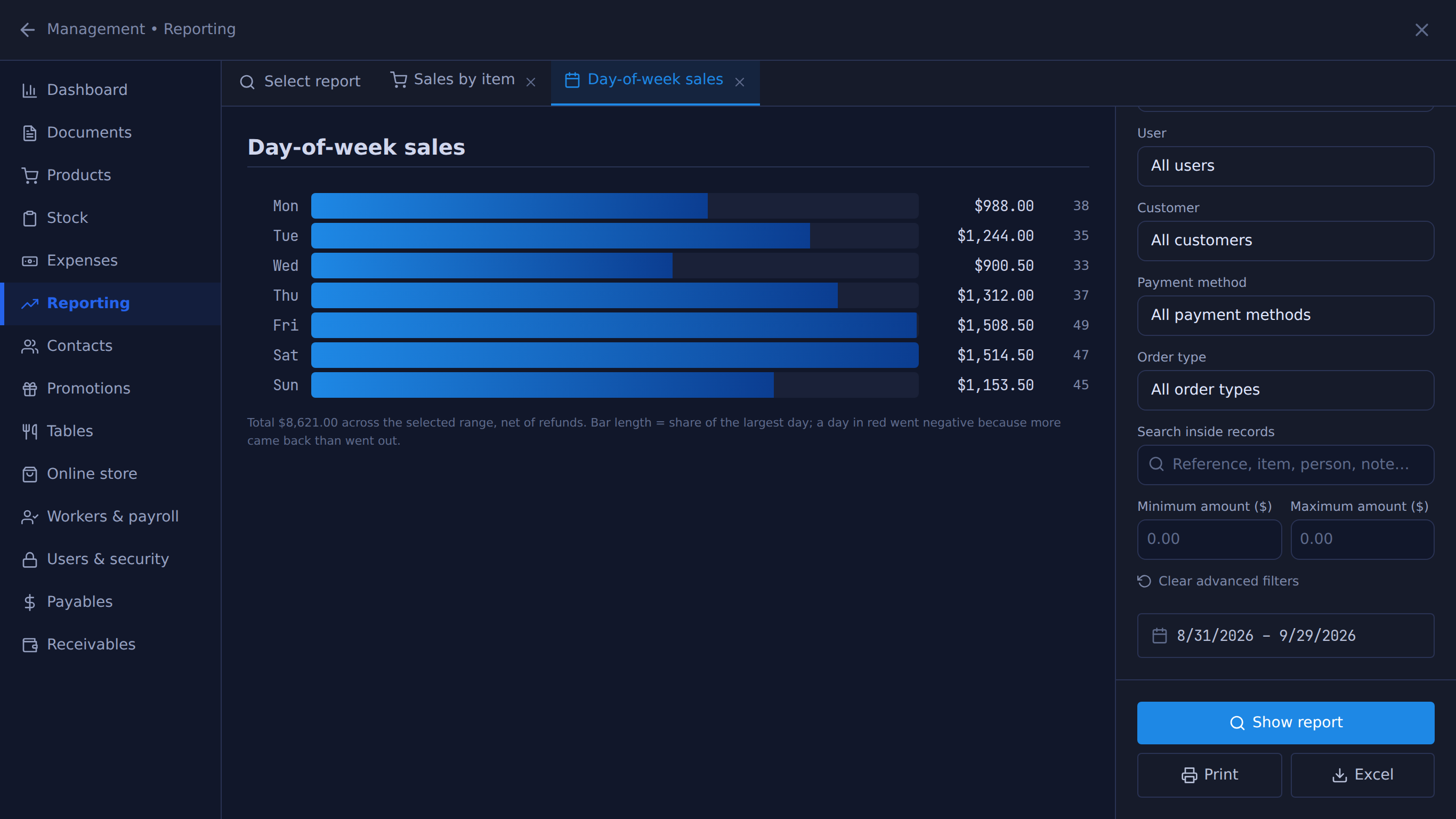
Unedited captures of Table, taken in a fictional demo shop. Open one to see it full size.
Built for this
01
One product can carry several barcodes, plus a separate one for the whole case — scanning the case rings a case, scanning the unit rings a unit. No toggling.
02
Fruit, vegetables, cheese, nuts — the scale prints a barcode, and the till reads the weight or the price straight off it.
03
Price tags print from the same product that rings at the till, in dollars, lira or both. Receiving stock fills the print queue; after a price change, reprint the tags for what changed.
04
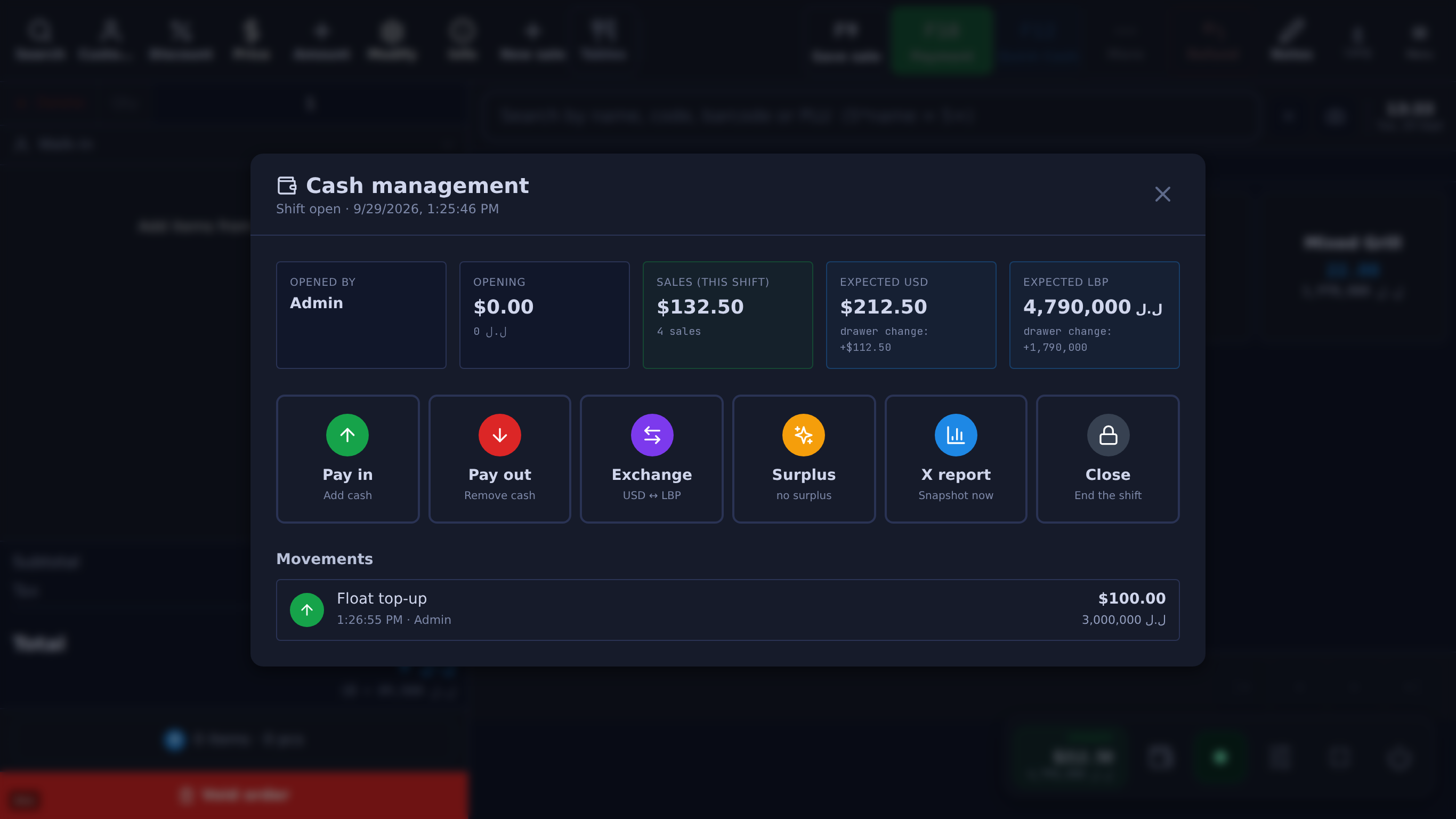
Each register keeps its own cash box, its own shift and its own Z-report. They never share a balance, so a shortfall belongs to one till, not to the shop.
05
Bulk receipt: pick the supplier, add each item and the quantity that arrived, and settle it from the drawer or leave it on the supplier’s account.
USD + LBP
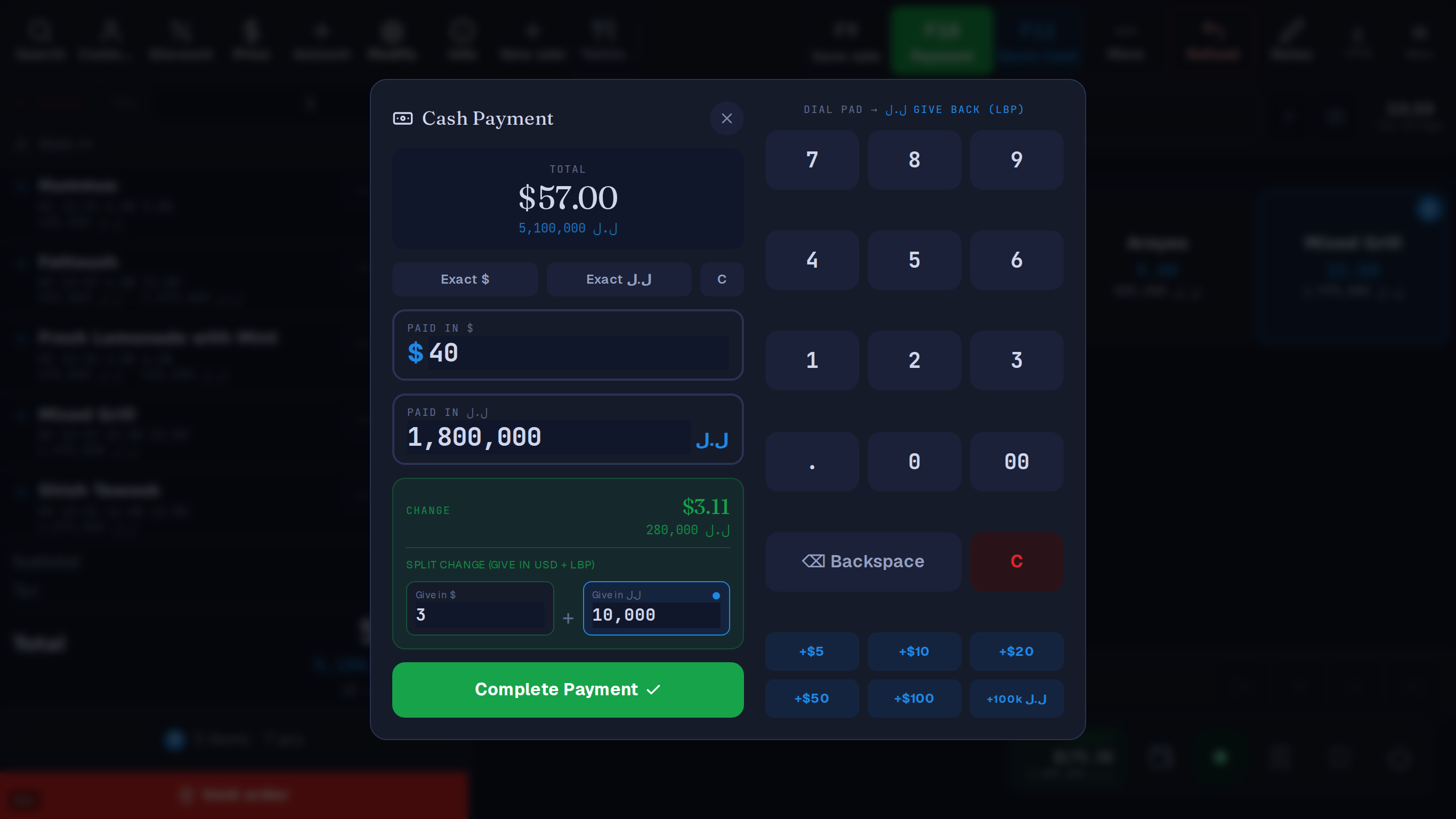
Price in dollars, print the shelf tag in both currencies, take lira and give change in either.
Every sale stores the rate it used and is kept in dollars, so past dollar totals don’t move with the lira. Lira shown to the customer is rounded to the 5,000 note.
A $ bill. They hand you $ and ل.ل.
For example, give $3 — the till fills in 10,000 ل.ل
or 280,000 ل.ل all in lira
The cashier picks how many dollars to give back; the till works out the lira.
Lira price 5,100,000 ل.ل
Example rate: 89,500 ل.ل per $1. Your till uses the day's rate from lirarate.org or one you set. How dual currency works
Questions
Yes. Each register keeps its own cash box, shift and end-of-day Z-report and they never share a balance, so a shortfall belongs to one till rather than to the shop. $10 a month per extra till.
Yes, scales that print a barcoded label — the till reads the weight or price straight off it. Weighed goods, barcoded packs and PLU codes all on the same screen, and a pack sale can draw down single units underneath.
Yes, with a price checker on the floor — a spare tablet where a customer scans a barcode and sees the price in both currencies. $5 a month.
Yes. Tags print from the same product that rings at the till, with the price in dollars, lira or both, so after a price change you reprint the tags for what changed.
Yes. A neighbourhood dekkene can start with one till on a Windows PC it already has, and keep the daftar (what regulars owe) on the till instead of in a notebook. Add a till when the queue grows.
No. Import the catalogue from CSV or XML rather than typing it, and use categories and barcode search rather than hunting a grid.
What it costs
One Windows till with every feature not marked as an add-on on /features, the owner phone app, and support on WhatsApp.
Sign up yourself, or message us on WhatsApp and we’ll set it up with you.
14 days free · no credit card
What happens next
01
Your shop’s name and your mobile number. The shop and its PIN are created on the spot.
02
The till runs in the Table app for Windows. Download it
03
Click Download on the signup screen and the app picks up the 6-character pairing code shown when you sign up (valid 24 hours) when it opens on the same computer; anywhere else, enter the code. After 24 hours, message Table on WhatsApp for a new one.
Help installing? WhatsApp +961 81 664 397tableposlb@gmail.com


