01
The rate, your way
Shops on the automatic rate are updated once a day from lirarate.org. Or type your own, from 1,000 to 500,000 lira per dollar, with the admin PIN; the shop stays on it until you switch back to automatic.
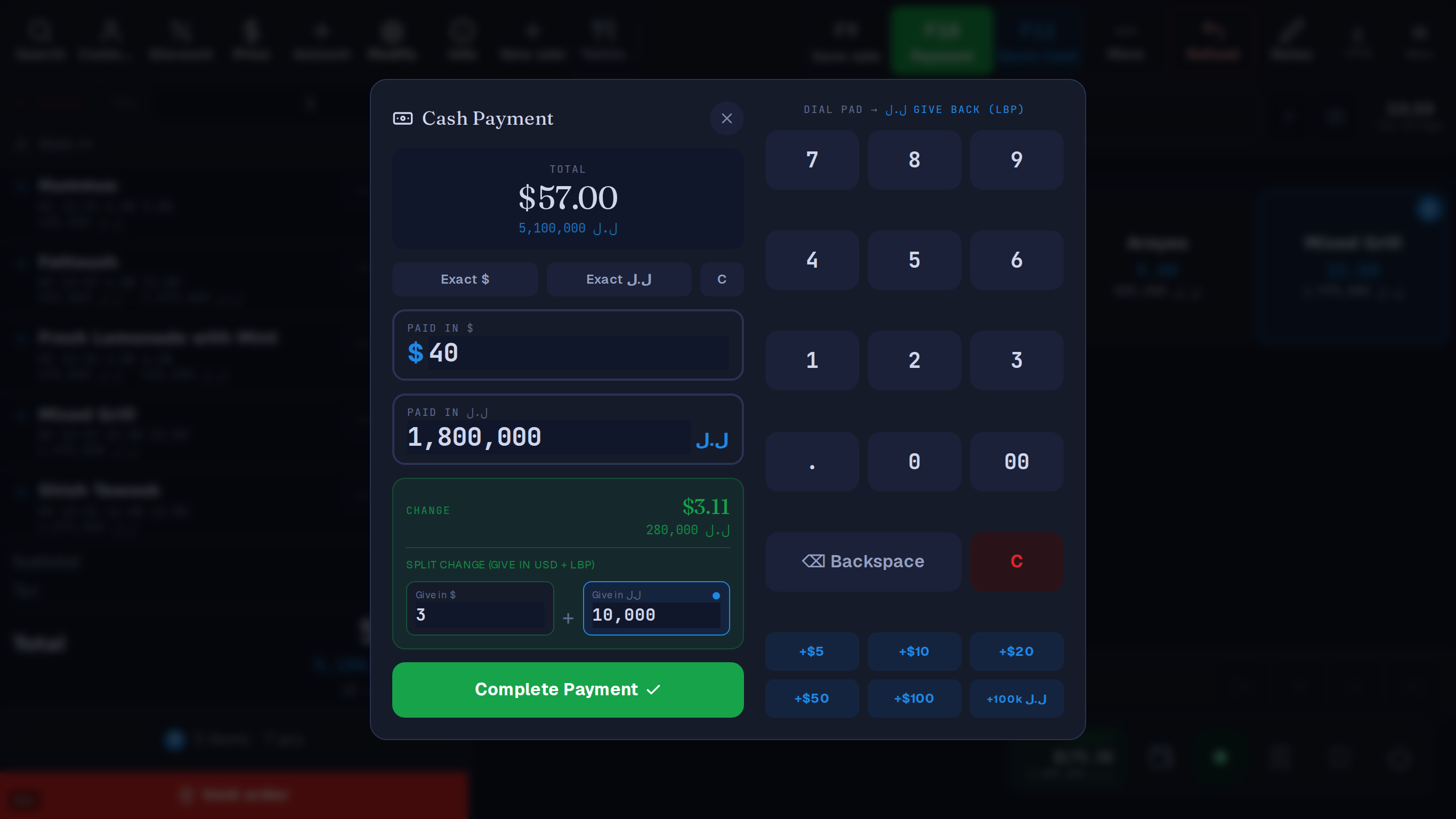
Price in dollars, take dollars, lira or both, and give change in either. Table stores the rate each sale used, rounds lira to the 5,000 note, and keeps past dollar totals right when the lira moves.
Made in Lebanon USD + LBP on every sale 14-day free trial, no card
The problem
A rate written on a sticky note at 8am is out of date by lunch, and every lira payment after that is worked out on the wrong number.
The customer pays in dollars and wants lira back, or the other way round, and the cashier works it out on a phone calculator while the queue waits.
Totals kept in lira change their meaning every time the rate does, so nobody can say what last month really made.
What you get
01
Shops on the automatic rate are updated once a day from lirarate.org. Or type your own, from 1,000 to 500,000 lira per dollar, with the admin PIN; the shop stays on it until you switch back to automatic.
02
The cash screen takes a dollar amount and a lira amount at once, with ‘exact’ buttons for each currency. When change is due, the cashier chooses how much to give back in dollars and how much in lira.
03
Lira amounts shown to the customer are rounded to the nearest 5,000 while dollar amounts stay exact to the cent. Handing over exactly the lira shown settles the sale with no change and no shortfall.
04
The rate in use is stored with every sale, including sales rung offline and synced later, and the receipt prints it. Sales are kept in dollars, so past dollar totals stay correct when the lira moves.
05
Part cash, part Whish, part left on the customer’s account: one sale can be paid with several methods, and the receipt lists each part.
06
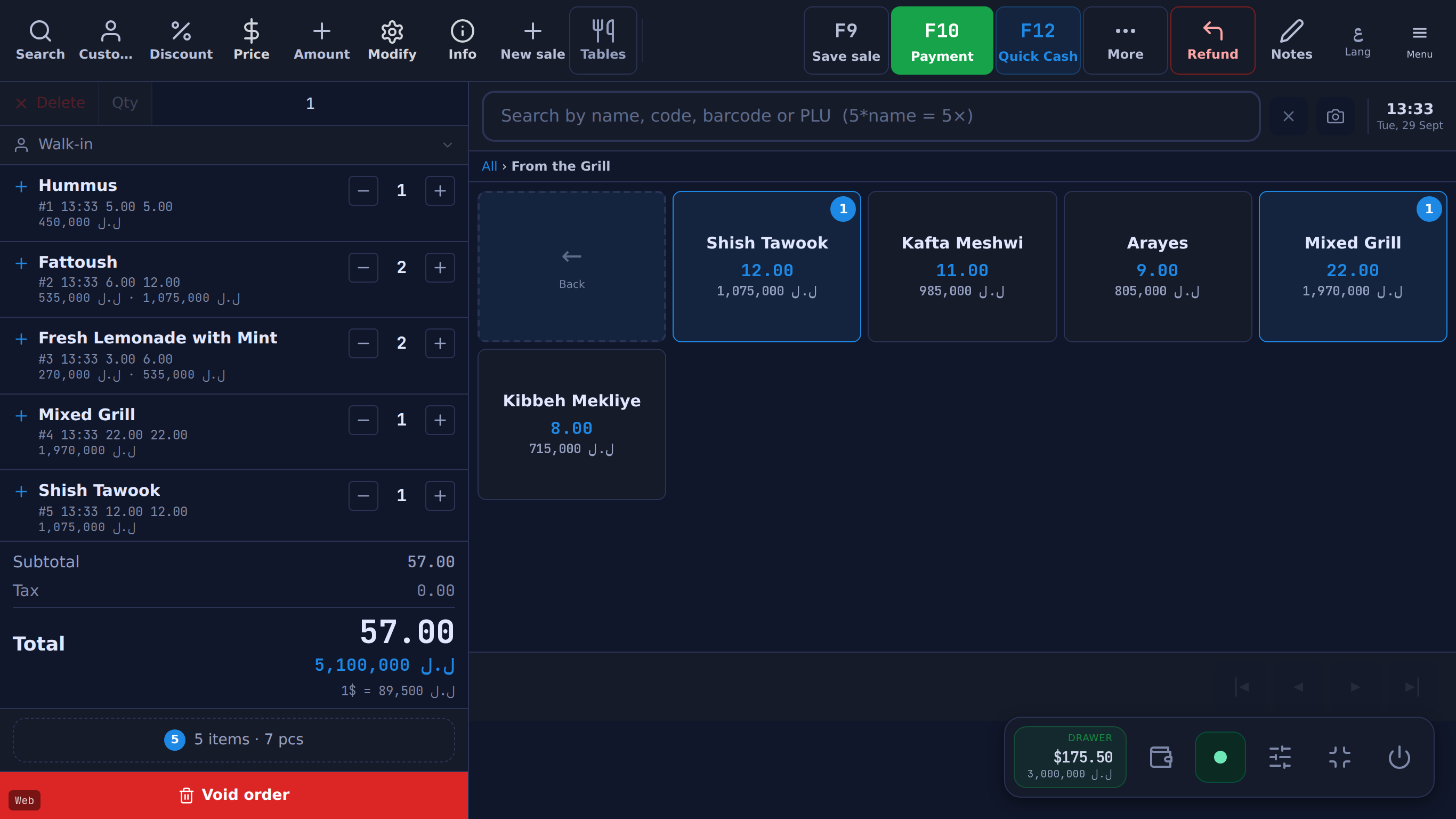
A setting makes lira the large figure on the cart total, the drawer badge and the receipt, with dollars underneath. A product can also carry a fixed lira price: eight items at 5,000 LBP come to 40,000.
07
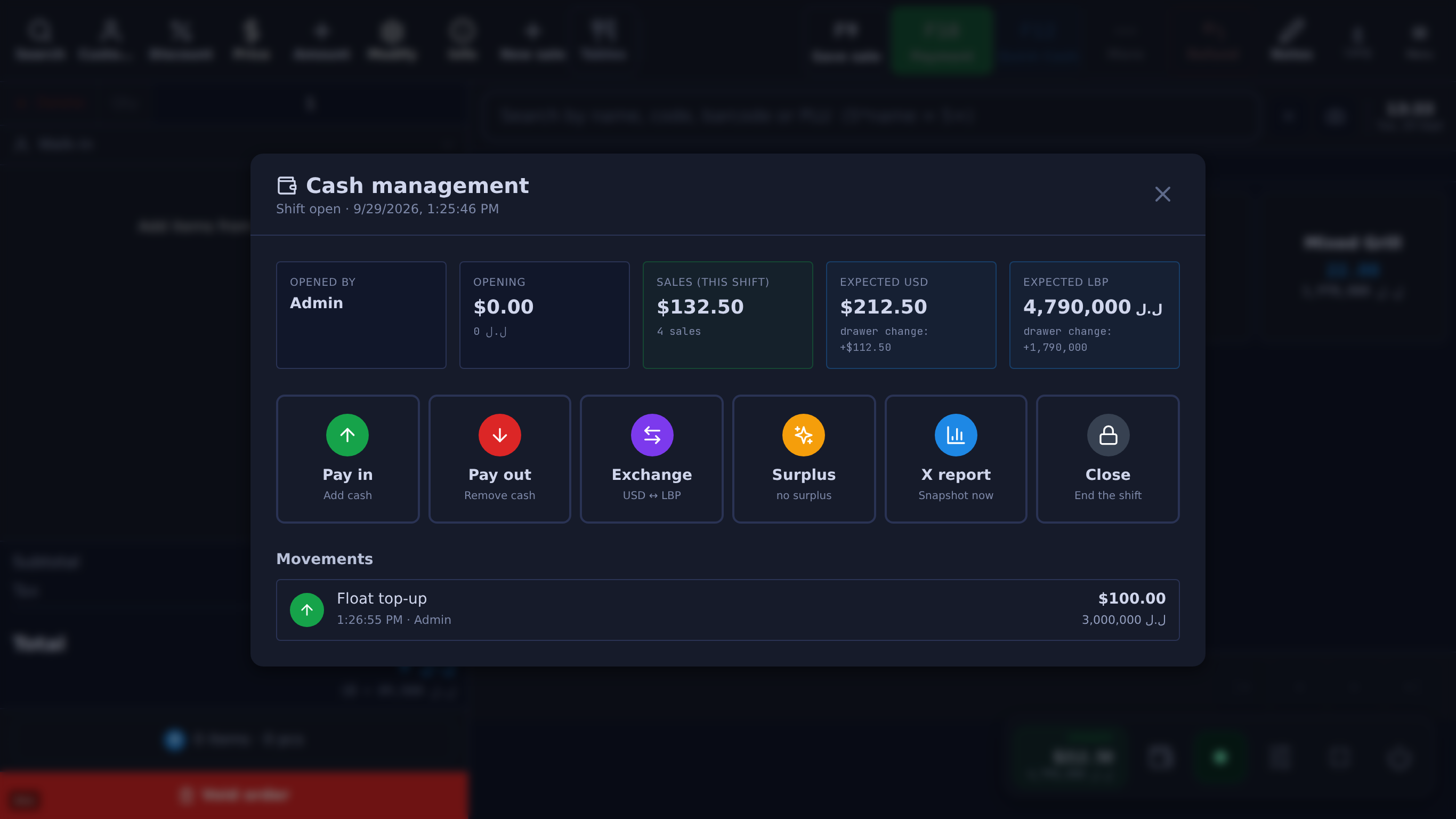
Each shift opens with a dollar float and a lira float, records exchanges between them made from the drawer, and closes with the counted dollars and lira against what the till expected, per currency.
08
Price labels print with the price in dollars, lira or both, from the same catalogue the till sells from.
09
A tender more than $5 over and more than double the total asks the cashier to confirm, which catches lira typed into the dollar field.
The real screens
Unedited captures of Table, taken in a fictional demo shop. Open one to see it full size.
Questions
Shops on the automatic rate are updated once a day from lirarate.org. The owner can type a rate instead, which keeps the shop on that rate until it is set back to automatic.
Yes. The cash screen takes both at once, and when change is due the cashier chooses how much to give back in each currency.
Each sale keeps the rate it used and is kept in dollars, so past dollar totals don’t move. The till’s sales history, reprinted receipts and the Sales overview, Net profit, X and Z reports show each past sale’s lira at its own rate; the published limits on this page name the screens that use today’s rate instead.
Yes, as payment methods recorded against the sale. Table doesn’t process the payment: the money moves through your own card terminal or wallet.
What it costs
One Windows till with every feature not marked as an add-on on /features, the owner phone app, and support on WhatsApp.
Sign up yourself, or message us on WhatsApp and we’ll set it up with you.
14 days free · no credit card
What happens next
01
Your shop’s name and your mobile number. The shop and its PIN are created on the spot.
02
The till runs in the Table app for Windows. Download it
03
Click Download on the signup screen and the app picks up the 6-character pairing code shown when you sign up (valid 24 hours) when it opens on the same computer; anywhere else, enter the code. After 24 hours, message Table on WhatsApp for a new one.
Help installing? WhatsApp +961 81 664 397tableposlb@gmail.com