USD vs LBP: How to Price Your Menu During Currency Swings
A practical guide to dual-currency pricing for Lebanese restaurants and shops: what to price in dollars, how rate snapshots work, and a common mistake.
2 min read
Every restaurant and shop owner in Lebanon has run into the same problem: you set a price, the exchange rate moves, and now you're either losing money on every sale in lira, or manually updating prices every few days.
Here's a practical way to handle it — the approach Table's till takes by default.
Snapshot the rate at the moment of sale, not the moment of pricing
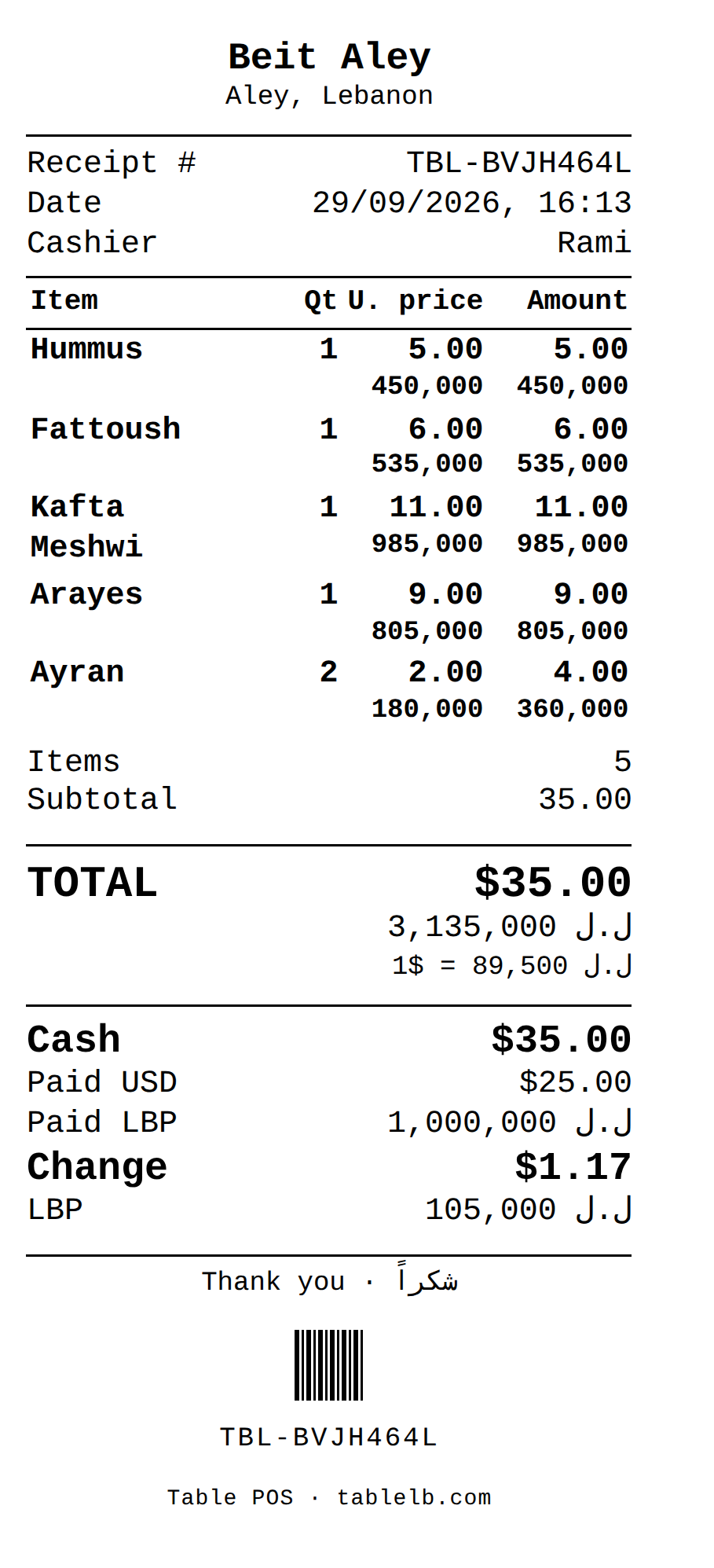
#This is the detail that trips people up. If you update your "official" exchange rate once a week but the real rate moves daily, your reports get inaccurate fast. The rate that matters is the one at the exact moment of each individual sale — that's the rate that should be stored with the sale and printed on its receipt, not a rate you set at the start of the week.
Done right, a sale made on Monday and a sale made on Thursday can use two different rates, and your books stay accurate for both, even though the number you had "set" never changed in between.
Table stores the exchange rate each sale used, including sales rung offline, and prints it on the receipt at the time of sale, offline sales included; a reprint from the till's sales history uses that same stored rate. Sales are kept in dollars, so last month's dollar totals don't change when the rate moves. The lira sales totals in the Management dashboard and in the Sales overview, Net profit and X and Z reports also use each sale's stored rate where there is one; other reports, such as purchases, waste and the Flexible analysis total, show past lira figures at today's rate.
Let customers pay in either currency, split however they want
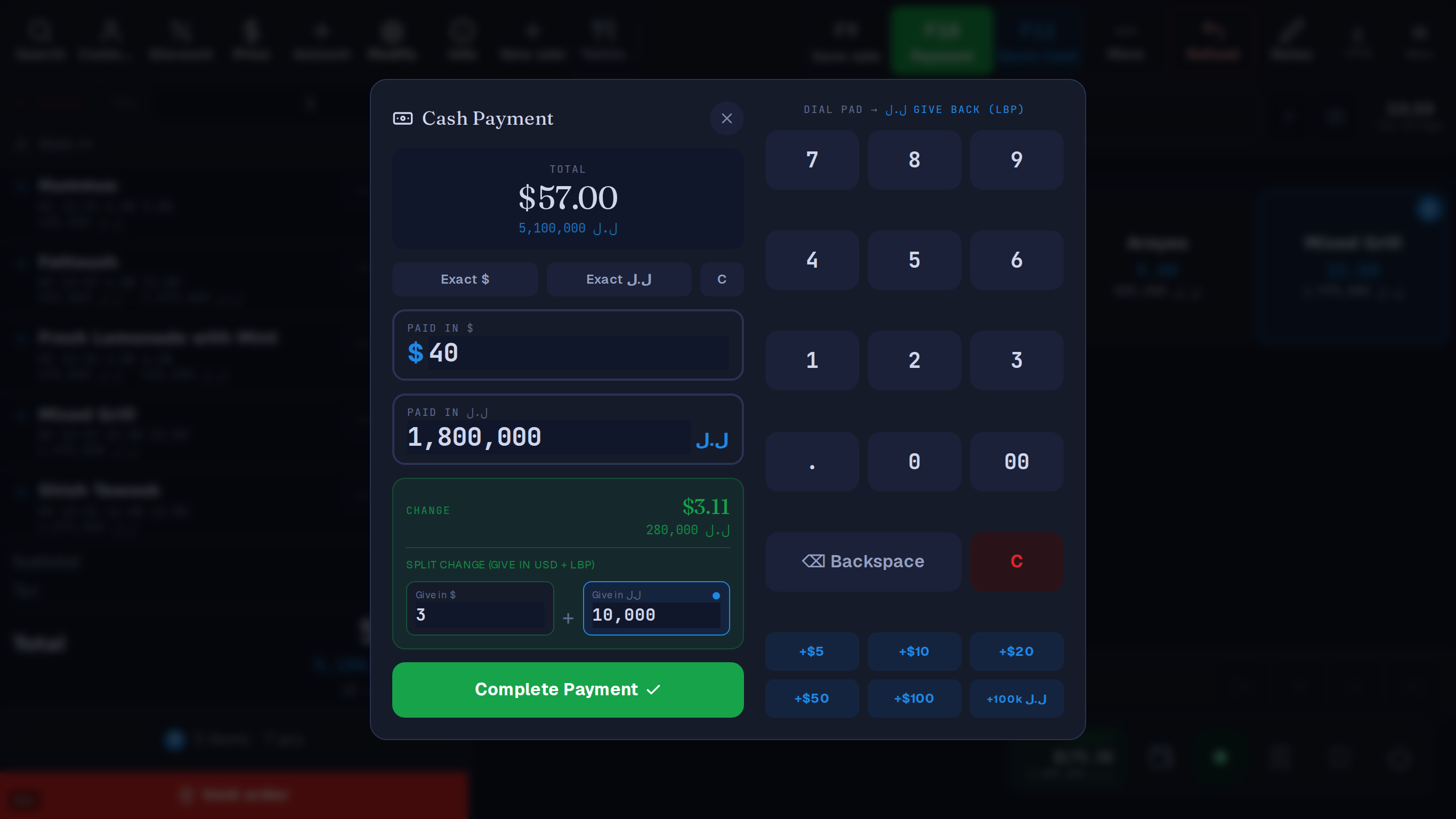
#Don't force a choice. Some customers pay in dollars, some in lira, some want to split a bill across both. A cash drawer that tracks USD and LBP independently — not just one converted total — makes end-of-day reconciliation possible instead of a guessing game.
A common mistake early on
#Rounding LBP prices to "clean" numbers by hand, sale by sale, at the register. It feels harmless until you've done it a few hundred times and your actual revenue doesn't match what your system says you sold. Let the system calculate the converted price consistently, every time, from the same snapshot rate — and only round at the very end, the same way, every time.
Try it with the till's own arithmetic. The example rate is the one in the screenshots above; change the bill or what the customer hands over.
A $ bill. They hand you $ and ل.ل.
For example, give $3 — the till fills in 10,000 ل.ل
or 280,000 ل.ل all in lira
The cashier picks how many dollars to give back; the till works out the lira.
Lira price 5,100,000 ل.ل
Example rate: 89,500 ل.ل per $1. Your till uses the day's rate from lirarate.org or one you set. How dual currency works