How to Choose a POS System in Lebanon
The questions that decide whether a point-of-sale system will work in a Lebanese shop: currency, connectivity, who owns your data, and what the price includes.
7 min read
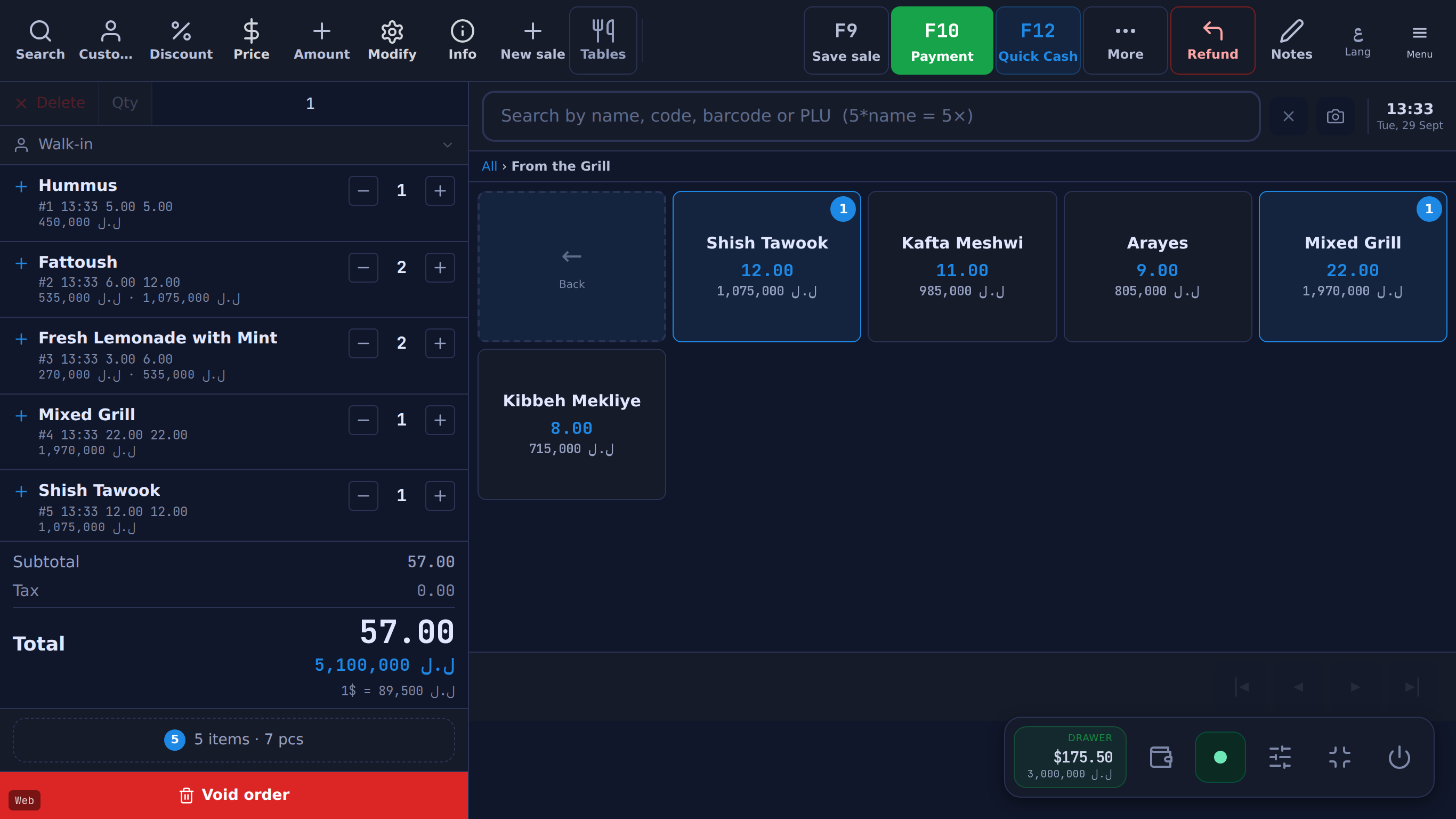
Most POS comparisons are feature checklists, and a checklist only goes so far — most feature lists include the same basics. What separates systems is how they behave on a bad day in a real shop, and almost none of that is in the brochure.
Here are the questions worth asking, roughly in the order they matter.
1. What happens when the internet drops?
#Ask it first, because in Lebanon it is not hypothetical. A cloud-only system with no offline mode stops the queue when the line does, and "works offline" is a phrase that hides a lot of variation.
The follow-up questions are the real ones. Can you keep taking payments, or only view what is already loaded? Do sales made offline sync automatically when the connection returns, or does someone re-key them? And can a shop open in the morning with the internet already down — not just survive a drop mid-shift?
2. Does it actually understand two currencies?
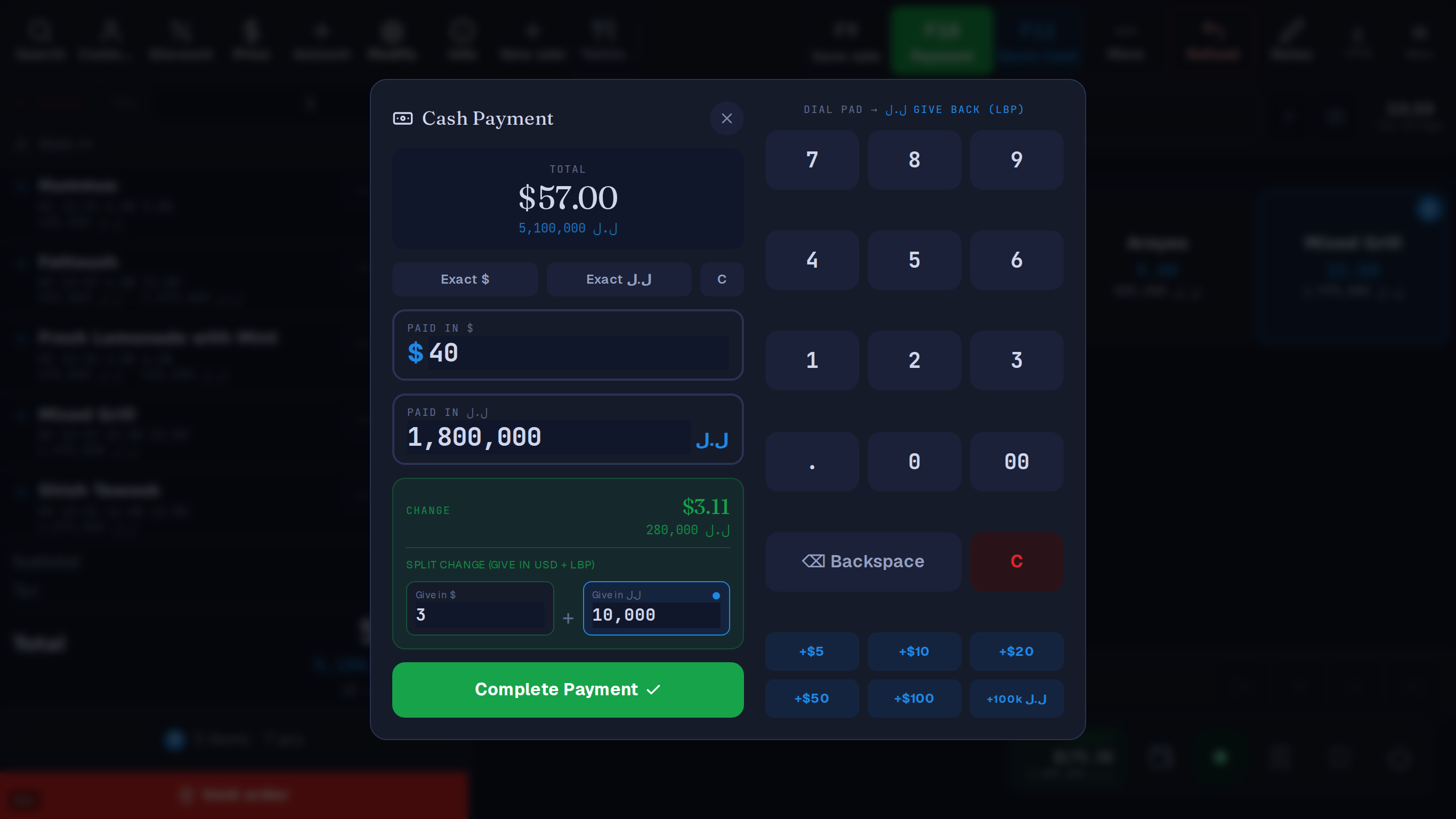
#There is a real difference between a system that supports "multiple currencies" and one built for a shop that prices in dollars and gets paid in lira, often in the same transaction.
What to test: can one payment be split across both currencies? Does change come back in whichever the customer wants? And — check this one carefully — does each sale record the rate it used? If sales are kept in dollars with the rate stored on each one, last month's totals stay accurate after the rate has moved. Ask how past sales are shown in lira, too: converted at today's rate, those figures won't match what was actually paid.
3. What does the price actually include?
#Compare the total for a full year, not the headline. A cheap monthly fee with a per-transaction commission is not cheap once you are doing volume — and a percentage of every sale is money leaving whether the month was good or bad.
Then check what is extra. Support, updates, a second till, the mobile app, hardware, installation and training all appear on somebody's invoice. Ask which of them appear on yours, and what year two costs — it can differ from year one.
4. Can you get your data out?
#Ask to see the export before you buy, not after you want to leave. Products, customers, sales history and settings should come out in a format you can actually read, on demand, without asking anyone's permission.
This is the question that tells you the most about a vendor's confidence, and the one they are least prepared for. A system that makes leaving difficult is telling you what it thinks its retention strategy is.
5. Who fixes it, and in what language?
#A till that breaks at 8pm on a Friday is not a support-ticket problem. Find out who answers, how fast, in which language, and whether they have ever physically seen a shop like yours.
Language matters more than people expect. If the cashier reads Arabic and the manager works in English, the system needs to do both at once — each person in their own language, even on the same till — and so does whoever answers the phone.
6. Will it still fit in two years?
#The system you choose for one till gets inherited by the second one, and by the online orders, and by the branch you have not opened yet. Adding those later should be a setting, not a migration.
The specific thing to check: if you add a second register or a second shop, do they share one product catalogue and one stock count, or do you end up maintaining two of everything? That answer decides whether growth is easy or a project.
What none of this is about
#Notice that none of the above is a feature. Most feature lists include stock, reports, barcodes and receipts. The differences that will actually shape your week are about currency, connectivity, cost structure, data ownership and support — and those are the things a demo is least likely to show you unless you ask.
How Table answers these
#The same questions, put to Table. Each answer is quoted from its feature reference, with the limit that goes with it from what Table doesn't do. The first two have pages of their own: selling without internet and dollars and lira on one bill.